Book a demo

LIHTC COMPLIANCE SOFTWARE · SECTION 42 · TIC

LIHTC compliance that makes the next TIC the easy part of your day.

No more rebuilding the household from a spreadsheet to finish the certification. Bring income, assets, project elections, state HFA requirements and layered funding together, find what’s missing and move the Tenant Income Certification (TIC) toward review.

A signed form isn't useful if the numbers and documentation behind it don't hold up.

Choose your portfolio type to see the most relevant examples.

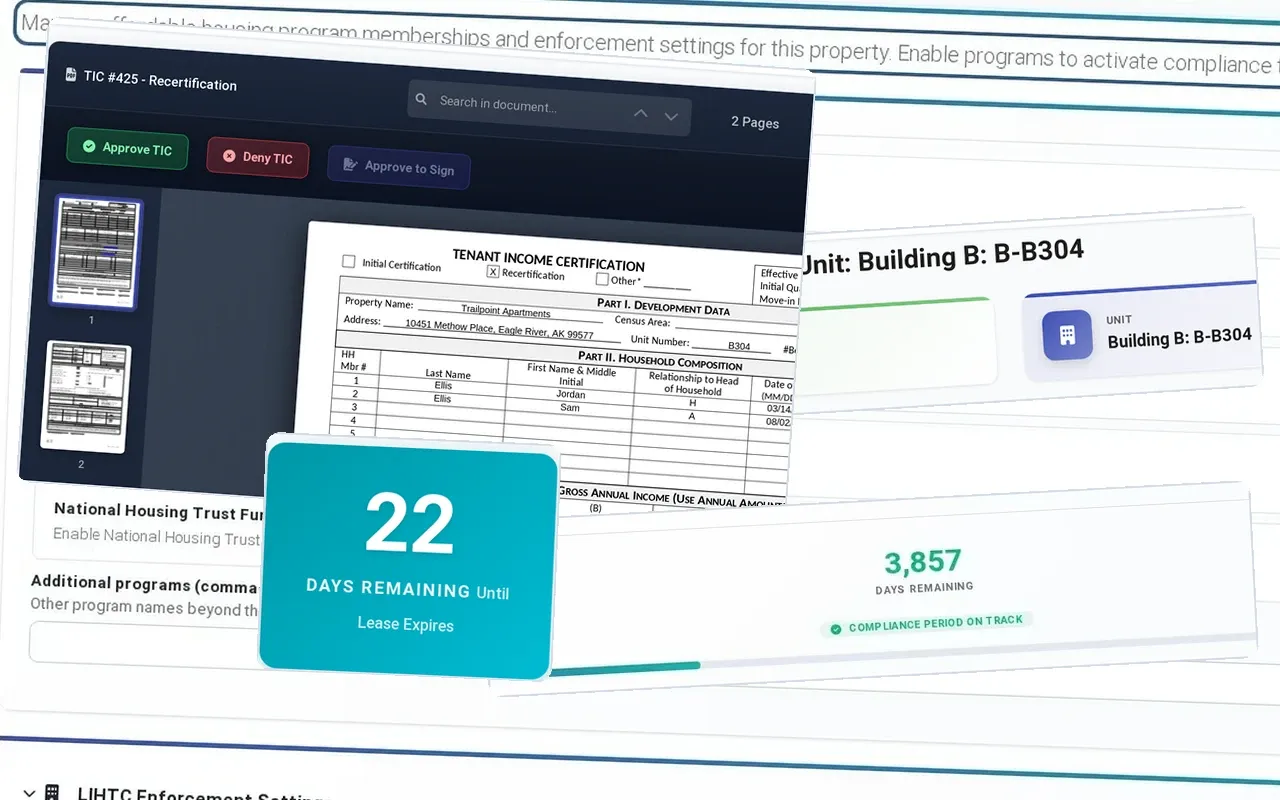
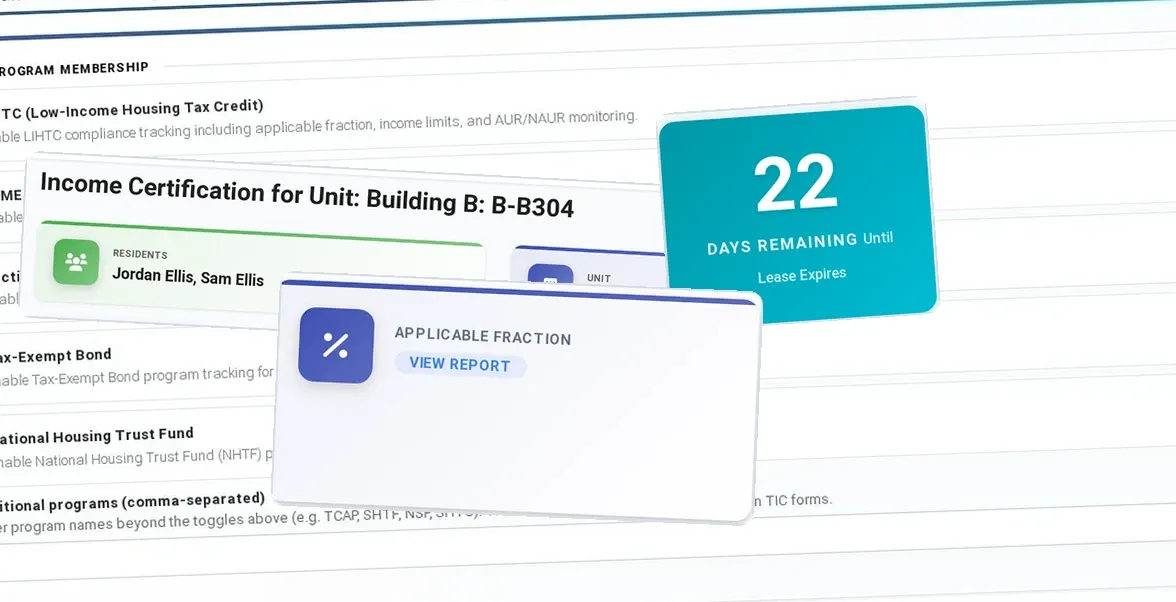
The LIHTC TIC, front and center: Compliance configuration: program memberships, Income certification for Building B, unit B-B304, Tenant Income Certification PDF with Approve TIC and Approve to Sign, LIHTC compliance period: 3,857 days remaining, on track, and in front, 22 days remaining until the lease expires

The project election should never be a mystery at certification time.

A project’s set-aside election is too important to live in someone’s email. Keep elections, income limits, household documentation, certification history and state requirements in view when it’s time to prepare the TIC.

ExactEstate reads the applicable income limit and the state TIC form from that configuration, so the specialist does not have to remember them.

A project’s set-aside election and unit designations change which LIHTC income limits apply. For an Average Income Test project, units have designated limits and the qualifying group must meet the statutory average. ExactEstate shows the project configuration next to the TIC, so staff review any redesignation against the agency’s guidance instead of rebuilding those decisions from a spreadsheet.

LIHTC compliance software that starts with the project's rules: the minimum set-aside, unit designations, elections, layered programs and the HFA profile are recorded once and applied to every TIC.

Collect the household once. Use it through every TIC.

The TIC should start from information your team already collected. Bring the verification, lease and program record together, check what is missing and make the approval trail easy to follow.

Anything the software asks for twice is something it failed to carry, and a place two versions of the file can start to disagree.

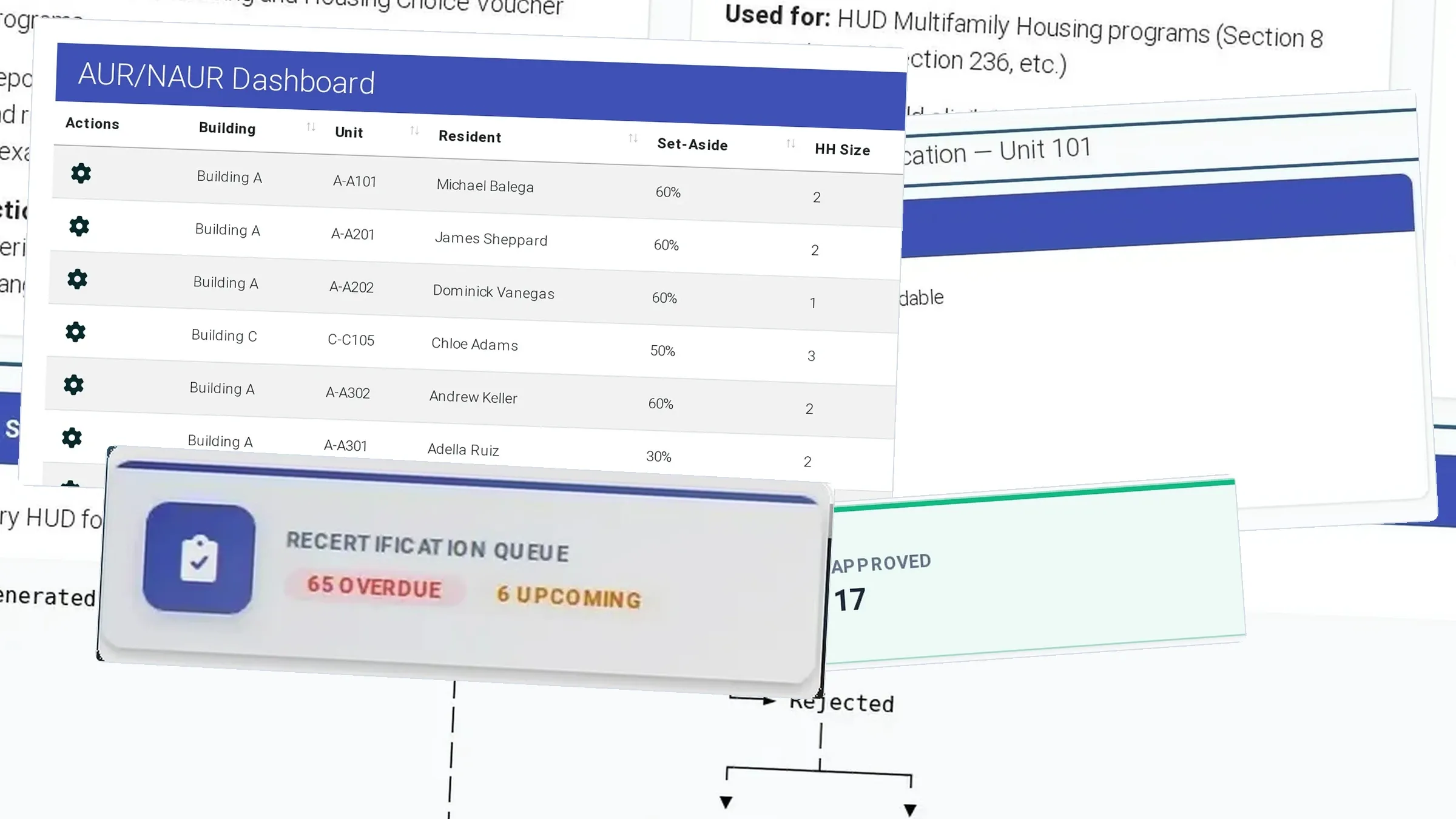
When household income rises above the applicable 140% threshold, the LIHTC Next Available Unit Rule matters to subsequent leasing of comparable-or-smaller units in that building. ExactEstate flags the building and lists its over-income households, so the specialist can apply the rule to the next comparable unit. For an Average Income Test project, the threshold calculation differs from a conventional set-aside election, and layered HUD Multifamily requirements run in their own workflow.

PROGRAM FORMS · AFFORDABLE HOUSING MODULE

Get each TIC signed where the household file lives.

Send the TIC, lease and recertification notices for signature with ExactSign, included in Core. Everyone signs from a phone.

From documents to a reviewed, signed certification.

Initial certification or recertification

Prepare the TIC from the household record at move-in and at each recertification required for that project. Keep the effective date, approval, next due date where applicable, and over-income review in the same workflow.

State form

State TIC forms are live for Alaska, Florida, Georgia, Maryland, New York and Texas. Other states receive NAHMA-format XML where the HFA accepts it.

Approval

The reviewer signs off inside the workflow. That approval stays on the record with the TIC.

Final artifact

Once approved, the TIC's PDF is stored with a frozen summary of what it was built from. A correction withdraws the approval with a recorded reason and generates a new TIC, and the withdrawn copy stays on the record.

ExactEstate HUD income limits screen with FY 2026 limits for a sample Florida property

Make every applicable funding layer visible.

Work the LIHTC TIC with the property's HOME, bond or NHTF designations in view. Each layer keeps its own requirements, and ExactEstate keeps them apart on one shared record so your specialist reviews each against its own rules and limits. That is how ExactEstate runs affordable housing compliance across every program.

HOME

The unit carries its High or Low HOME rent. With HOME checks on, HOME income and rent limits apply alongside the LIHTC limits.

Tax-exempt bond

When the property also has tax-exempt bond financing, the bond designation stays on the certification record, so your team checks the bond’s own income, occupancy and reporting rules alongside the TIC.

National Housing Trust Fund

A National Housing Trust Fund (NHTF/HTF) designation sits alongside the TIC in the property record, so the HTF documentation and reporting the project owes stay in view.

ALSO IN EXACTESTATE

Compliance

Find the compliance forms tied to your property.

Start with the forms that belong to your property instead of searching a shared drive. Review suggested HUD, LIHTC and state forms, preview the set and download the package.

Compliance document library

Compliance · Marketing

Keep the fair housing marketing history ready for review.

Export listing history and lead counts by address and month for your Affirmative Fair Housing Marketing review, and see which listings earned their space before you renew a channel.

Affirmative Fair Housing Marketing (HUD-935.2A) pack

Source: 24 CFR 200.620

Residents · Compliance

Let residents submit documents before staff begin reviewing.

Residents enter wages, assets, benefits and expenses in the portal, so your team starts each certification with the information already in hand.

Income and asset self-certification

Source: HUD PD&R Admin Fee Study

Know which HOTMA details affect the file you’re preparing.

HOTMA changed how income and assets are calculated, and each program set its own start date: January 1, 2027 for HUD Multifamily and for public housing and vouchers, and July 1, 2025 for USDA Rural Development.

For a LIHTC project, the requirement is whatever its state or HFA has set. ExactEstate applies HOTMA per property from that adoption date. That covers the indexed asset threshold, the updated deductions and the 10% medical expense phase-in. Program-specific review does not go away because the calculation changed.

ExactEstate income configuration with four blockers, configured elderly deduction of $400 versus the 2026 HUD amount of $550 for properties complying with HOTMA Sections 102 and 104, and the HOTMA FAQ Q7 reference; not ready for filing.

Find problems while there’s still time to fix them.

The risk score on each resident record sets the review order, not the verdict, so reviewers open the riskiest file first instead of alphabetically.

Your reviewers make every call; the score just puts the right file on top.

Ask EEva about the rules for this exact property.

EEva reads the project's configuration, names what blocks the certification and cites the authority where one exists, not a specialist's memory.

The example below uses a sample LIHTC project, not yours.

Example — sample data

You ask

Where does Maple Court (sample) stand on LIHTC this month?

EEva

Maple Court (sample) records a 40-60 minimum set-aside election. The income hard stop is on and rent-ceiling enforcement is off. There is 1 flagged over-income event, 2 overdue recertifications, and 6 due in the next 30 days.

Record it cites: Maple Court (sample) — compliance profile: elections and certification state

Sign up once with your name, work email, company and unit count to explore the EEva sample demos.

Hear EEva’s voice

These examples use sample properties and households. The public EEva demo does not access customer records.

LIHTC IN EXACTESTATE

See which state TICs and exports fit your portfolio.

State TICs and NAHMA LIHTC XML are built from the household record and checked before signature, so the file audit finds nothing new.

  • State TIC (PDF)

    State TIC forms are live for Alaska, Florida, Georgia, Maryland, New York and Texas.

  • NAHMA LIHTC XML

    ExactEstate exports NAHMA LIHTC XML for each HFA that takes the NAHMA format; staff upload it at the HFA portal.

  • Income and rent checks

    ExactEstate checks the 140 percent rule when a recertification is approved; a household above 140 percent of the current limit raises an over-income event.

  • Average income test

    When the property turns it on, average income test validation keeps unit designation averages at or below 60 percent.

Good to know

  • The project record stores the set-aside election; staff confirm the ongoing set-aside percentage during review.
  • Turn on HOME income and rent checks for a property, and its units carry their High or Low HOME rent.

Moving from your current system

Bring the exports from your current system: households, TIC history, unit designations and balances. The setup wizard maps the columns and shows each file’s readiness before launch.

We plan the move, record your project elections and train your compliance team. After launch, your specialists can ask EEva how-to questions in the app.

Book a LIHTC demo

Affordable Housing is $5 per unit per month, compliance included, with a $300 monthly minimum.

EEVA PORTFOLIO INTELLIGENCE

Keep your TIC calendar moving before it becomes overdue.

Upcoming TICs and the documents they need surface early, so staff have time to collect, verify and approve each file.

Start every TIC 120 days before it is due.

Recert on Rails sends each household its notices and document requests by email and text at 120, 90, 60 and 30 days, reviews the verifications that come back, drafts the TIC and books the interview. Your compliance staff sign it off.

Close overdue TICs before an HFA review.

Every morning, Audit Ready finds missing and expired evidence and overdue certifications in each household file, sends the household a document request and gives staff a task to close the gap, then helps assemble the file for your HFA review.

Review households when the limits change.

When published guidance or values change, such as new HUD income limits, Rule Change Response shows which workflows and household files are affected and what the change could mean, and gives each affected LIHTC property a task to review them and queue any notices. You approve each change before it takes effect.

Put flagged documents in front of a person.

When an application comes in, Screening Shield checks every document for signs of tampering, adds bank-verified income where it is available and puts any concerns in one packet, with the reasons, for staff to review. It never contacts the applicant and never approves or denies anyone.

CUSTOMER RESULTS

See the compliance time NuRock reports saving.

NuRock reports about 70% less compliance time on a 500-unit portfolio segment, without adding staff. That is what your TIC process should be competing against: more files finished, less duplicated work.

NuRock Companies

About 70%less compliance time

NuRock got time back without adding staff: the company reports about 70% less compliance work across a 500-unit portfolio segment, and move-ins dropping from 15 minutes to five.

“Even though the workload is the same... I feel like I have more time just by using ExactEstate.”Juan Carlos Belen, IT Director, NuRock

Read the NuRock case study

Heritage McDonough

75% lowermerchant fees, plus 30–40% less admin time after a 72-hour launch

After a 72-hour launch, Heritage McDonough reports 30–40% less administrative time and a 75% cut in merchant fees. See what changed behind the numbers.

“With ExactEstate, everything is fast, simple, and clear. My residents get help immediately.”Dayana Belen, Asset Manager, Heritage McDonough

Read the Heritage McDonough story

Hocking View Apartments

$10,000+saved per year

Hocking View Apartments reports saving more than $10,000 a year after switching to ExactEstate. See the full case study.

“The customer service is outstanding… ExactEstate is a customizable platform with immediate responses. They’ve truly delivered for us.”Joe Gieringer, Owner, Hocking View Apartments

See customer results

PLAN YOUR MOVE

Simple pricing and help moving from your old system.

The LIHTC TIC workflow is part of Affordable Housing at $5 per unit per month, compliance included. That one line covers your layered programs; add EEva capabilities only where they help.

$3 / unit

ExactEstate Core, per unit per month, with a $300 monthly minimum. Add only the modules you use.

Plan your launch

Before go-live we line up project elections, TIC history, matched balances, staff access and training. We run the launch alongside your team.

Get help moving your data

Bring your old system’s reports. ExactExtractor maps the columns it recognizes and flags uncertain matches for your specialist before import.

Bring the LIHTC file that gives your team the most trouble.

Bring an actual LIHTC household scenario, including the project election and state form. We’ll work from the record through TIC review so you can see exactly what ExactEstate automates. Still comparing vendors? Use the LIHTC software buyer guide.

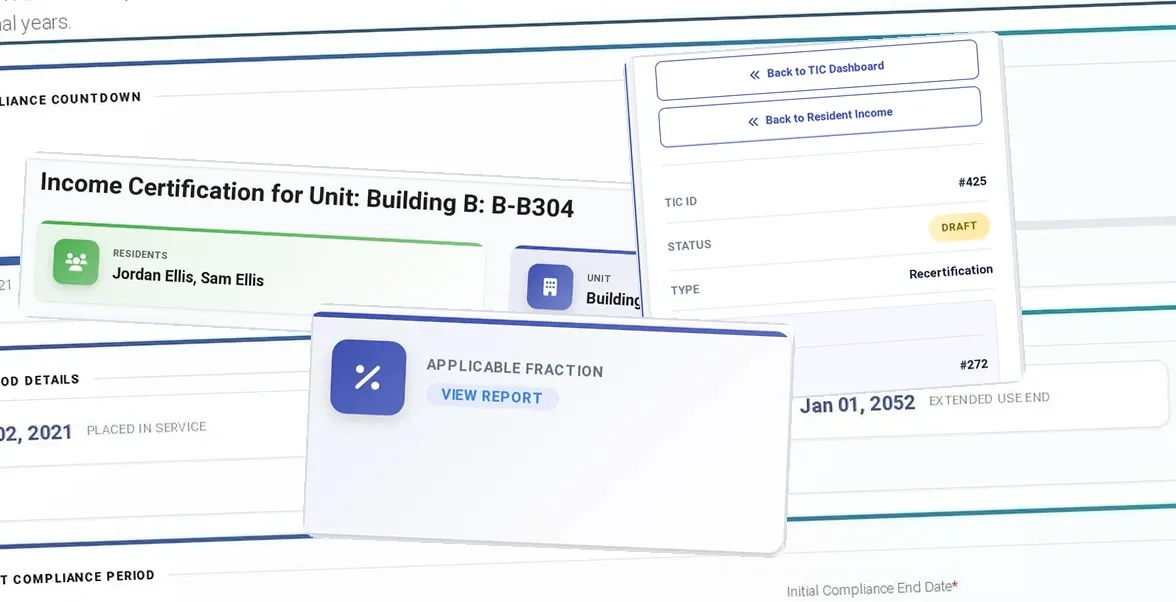
ExactEstate Applicable Fraction report with actual LIHTC unit percentages.
ExactEstate product screens for this page