Book a demo

USDA PROPERTY MANAGEMENT SOFTWARE · RD 3560-8 · MINC

USDA property management without another MINC scramble.

Keep household information, Rural Development requirements, Form RD 3560-8 and MINC XML preparation connected to the property record. Find missing information before your staff prepare the upload.

Follow the USDA route—not a borrowed HUD submission process.

Choose your portfolio type to see the most relevant examples.

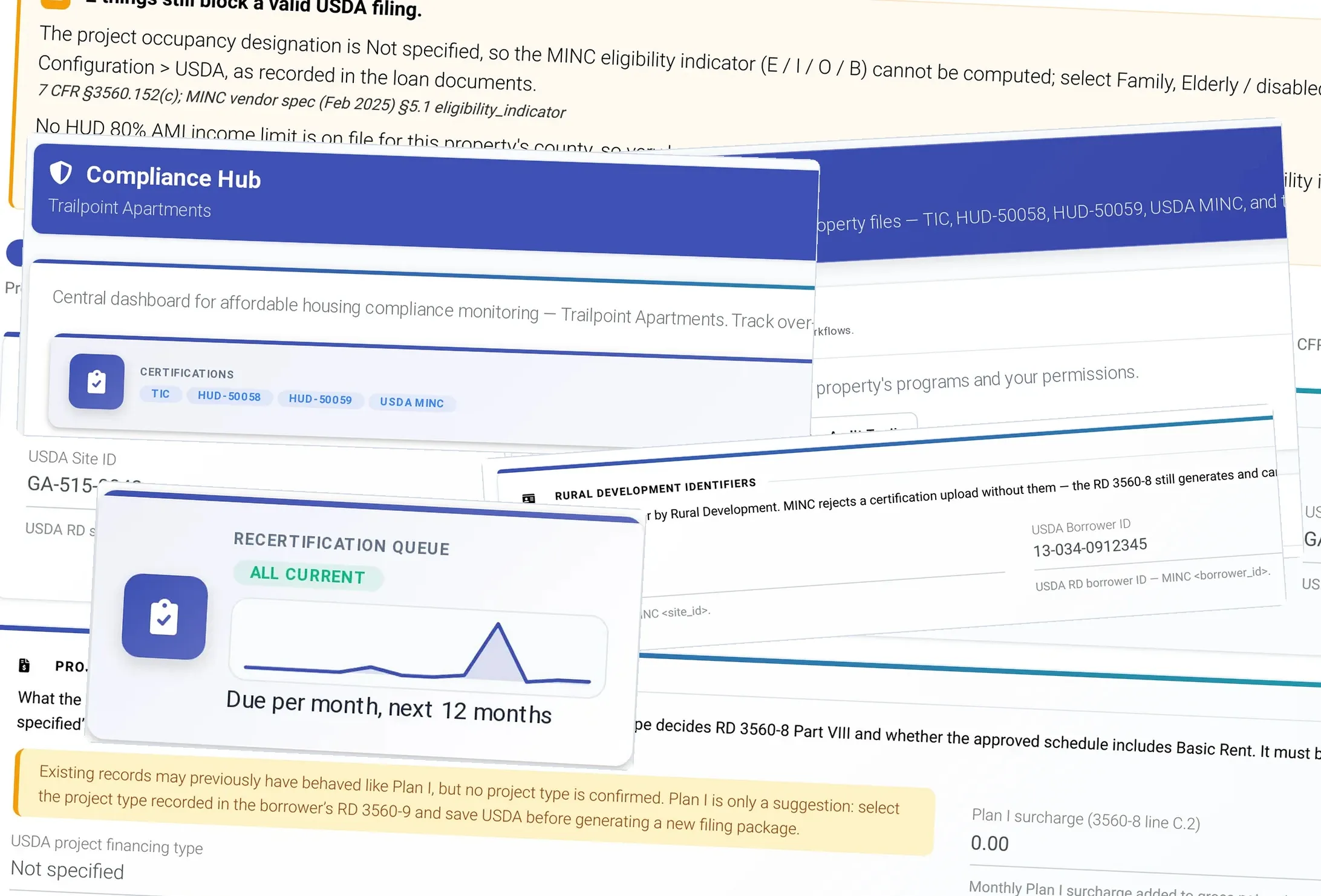
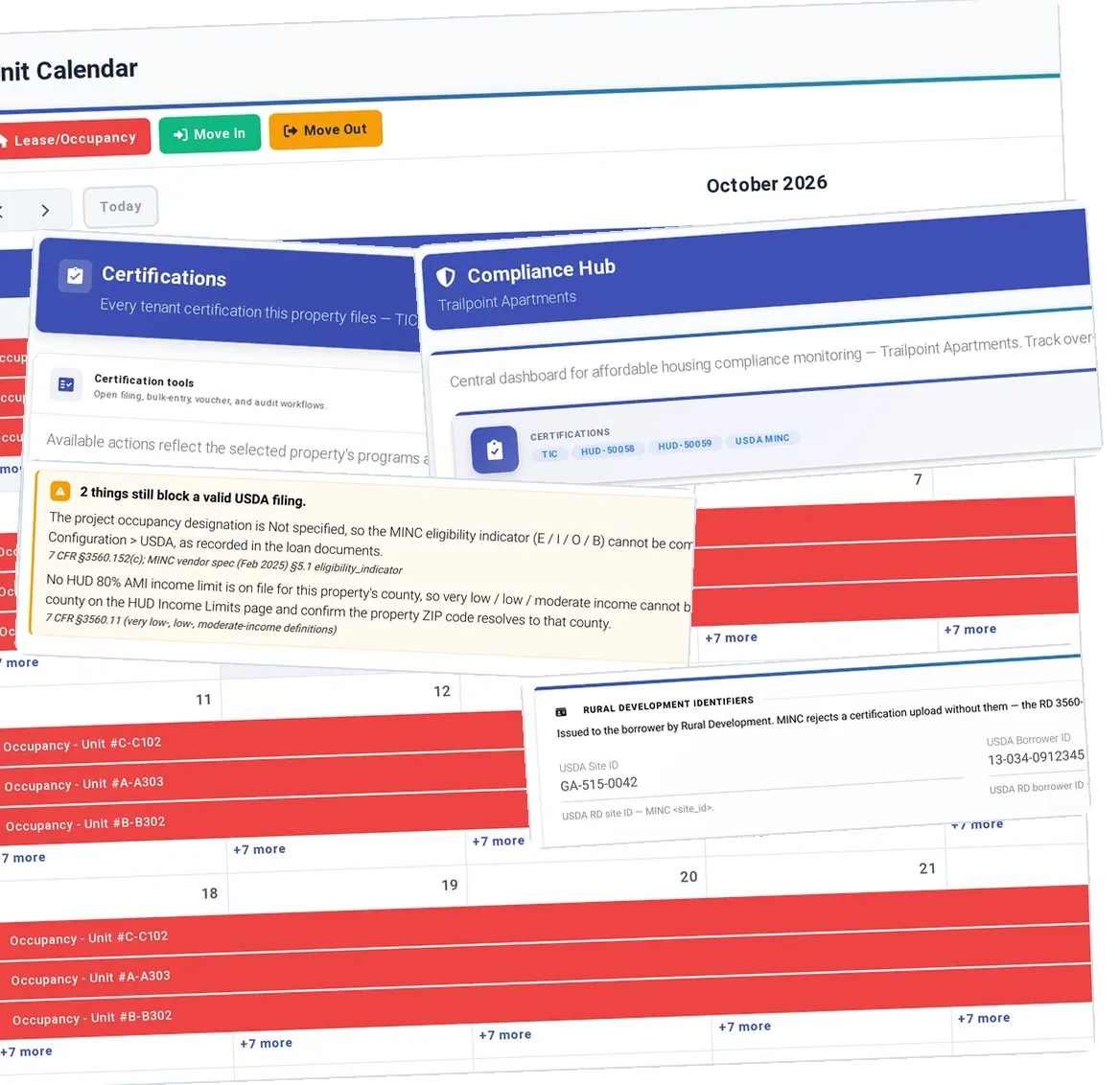
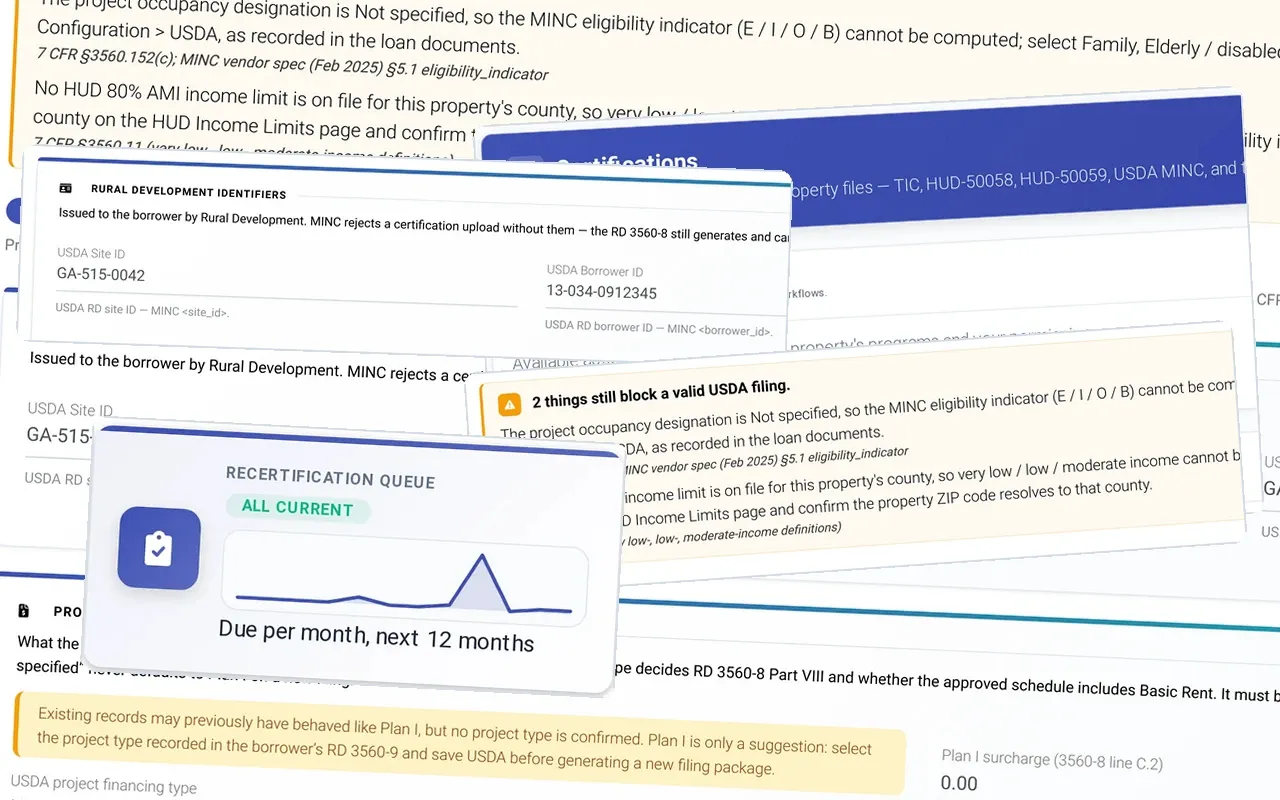
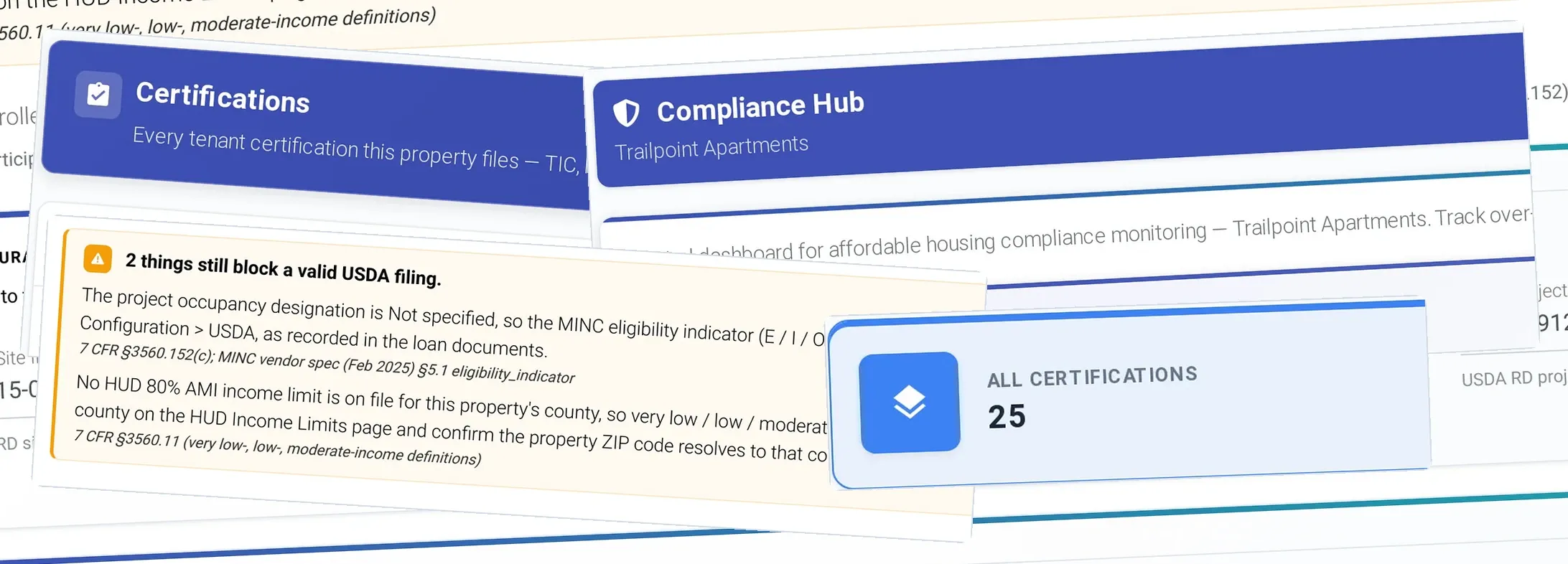
USDA Rural Development MINC readiness, front and center: USDA Rural Development readiness, Certifications across TIC, 50058, 50059 and USDA MINC, Rural Development identifiers: site, borrower and project numbers, 2 things still block a valid USDA filing, and in front, Recertification queue: all current

Keep every RD household and program requirement together.

Enter an RD household once. Form RD 3560-8 is prepared from the same household, certification and property information your staff already review against Rural Development requirements.

The USDA Rural Development certification, Form RD 3560-8, is one of the five certification programs ExactEstate runs. It sits beside LIHTC, Public Housing, HUD Multifamily and Tribal / NAHASDA / IHBG. A certification is only as right as the property-level USDA configuration behind it.

ExactEstate checks that configuration and names anything that blocks a valid USDA filing.

What USDA software needs to know first: the project's identity, including the Section 515 project, Section 521 rental assistance and borrower and project identifiers. RD 3560-8 is one of five certification programs in ExactEstate.

Prepare Form RD 3560-8 without retyping the household.

Spot missing or inconsistent fields before preparing the MINC XML. Then hand the reviewer the file and a clear next step for your staff’s USDA upload.

ExactEstate builds the certification from the household, income and asset data the site team maintains. It routes the certification to a person for approval. Only then does it generate the RD 3560-8 as a locked PDF. What was approved is what goes into the file your staff upload, and the record keeps the approval with the PDF.

PROGRAM FORMS · AFFORDABLE HOUSING MODULE

Get the 3560-8 signed from the household record.

Send the RD 3560-8, lease and recertification notices for signature with ExactSign, included in Core. Tenants and staff sign on their phones.

Find XML issues before your staff uploads to MINC.

Prepare the MINC file for review.

ExactEstate produces the MINC XML from the approved certification. The file and the RD 3560-8 PDF always describe the same household.

Check the XML against the USDA schema.

The XML is checked against the USDA schema before anyone downloads it. A schema error shows up on your team’s screen, not in the agency portal.

Download the file and record the filing outcome.

Your staff download the validated file and upload it through the agency portal. ExactEstate records the filing and what came back, and your staff stay the filer of record with USDA.

ExactEstate reports custom reports custom report builder shown on a desktop monitor, tablet and phone

EEVA PORTFOLIO INTELLIGENCE

Stay ahead of upcoming RD certifications.

The workflows keep each RD household on schedule. Your staff make the decisions.

Start each RD recertification 120 days out.

Recert on Rails sends each household its notices and document requests by email and text at 120, 90, 60 and 30 days, reviews the verifications that come back, drafts the RD 3560-8 and books the interview. Your staff sign it off.

Close overdue RD certifications every morning.

Every morning, Audit Ready finds missing and expired evidence and overdue certifications in each household file, sends the household a document request and gives staff a task to close the gap, then helps assemble the packet for your next supervisory review.

Review households when income limits change.

When published guidance or values change, such as new income limits, Rule Change Response shows which workflows and household files are affected and what the change could mean, and gives each affected property a task to review them and queue any notices. You approve each change before it takes effect.

Send flagged documents to a person.

When an application comes in, Screening Shield checks every document for signs of tampering, adds bank-verified income where it is available and puts any concerns in one packet, with the reasons, for staff to review. It never contacts the applicant and never approves or denies anyone.

Keep preparation and submission status easy to follow.

Every MINC filing leaves an audit trail that separates filed from accepted.

ExactEstate records the filing as a staff attestation: who filed, when, and the outcome and confirmation number they saw at the portal. Every MINC outcome in ExactEstate is marked as reported by a person, not received from USDA, and an audit will see that distinction.

The certification record keeps them apart: a filed certification is not an accepted one until the agency says so.

The right program, the right effective date, the right file.

HUD and USDA both apply the federal income rules HOTMA changed. They did not adopt them on the same calendar, and a USDA property that inherits a HUD compliance date has the wrong date.

USDA’s final rule aligning its annual income and net family asset calculations with HOTMA was published at 91 FR 18769 (effective April 13, 2026), and Rural Development has required HOTMA on certifications effective since July 1, 2025.

In ExactEstate, USDA properties follow that USDA date, not HUD’s, and with it the indexed asset threshold, the updated deductions and the 10% medical expense phase-in.

Keep 'we filed it' and 'USDA accepted it' apart: each filing is recorded as a staff attestation with who filed, when, the outcome and the confirmation number, and is not accepted until the agency says so.

Ask EEva what your USDA property needs next.

EEva names the configured identifiers, what blocks a certification or filing, and the citation behind each, not a hunch about RD rules.

ExactEstate monitors HUD and Rural Development sources and logs relevant findings for a person to review, so your team works from a cited document rather than rules of thumb.

When a fact is not on record, EEva says so.

Example — sample data

You ask

Can Pine Hollow (sample) send its MINC file?

EEva

Not yet. The Borrower ID is missing and MINC rejects the upload without it. Certifications still generate and can be reviewed. Once it is recorded, staff download the file and upload it at MINC under their own login.

Record it cites: Pine Hollow (sample) — compliance profile: USDA identifiers

Sign up once with your name, work email, company and unit count to explore the EEva sample demos.

Hear EEva’s voice

These examples use sample properties and households. The public EEva demo does not access customer records.

USDA RD IN EXACTESTATE

See the actual RD certification workflow.

Form RD 3560-8 and 3560-8A and the schema-validated MINC file are built from household data, ready for your upload.

  • Form RD 3560-8

    ExactEstate creates Form RD 3560-8 and 3560-8A from household data.

  • MINC XML

    The MINC XML is validated against USDA's schema before download.

  • Filing at MINC

    Staff download the file and upload it at MINC under their own login. ExactEstate logs who filed it and when, separate from USDA's own confirmation.

Moving from your current system

Bring the exports from your current system: tenants, balances, rental assistance and certification history. The setup wizard checks each file and lists what still needs attention.

We plan the move, set up your RD project identifiers and train your staff. Once live, your staff can ask EEva how to handle any routine task.

Book a USDA RD demo

Affordable Housing is $5 per unit per month, compliance included, with a $300 monthly minimum.

CUSTOMER RESULTS

See the customer results behind ExactEstate.

Customers report hours back on the work around every certification. For USDA RD, judge us on the real thing: Form RD 3560-8, the MINC file and the review your staff has to finish.

NuRock Companies

About 70%less compliance time

NuRock got time back without adding staff: the company reports about 70% less compliance work across a 500-unit portfolio segment, and move-ins dropping from 15 minutes to five.

“Even though the workload is the same... I feel like I have more time just by using ExactEstate.”Juan Carlos Belen, IT Director, NuRock

Read the NuRock case study

Heritage McDonough

75% lowermerchant fees, plus 30–40% less admin time after a 72-hour launch

After a 72-hour launch, Heritage McDonough reports 30–40% less administrative time and a 75% cut in merchant fees. See what changed behind the numbers.

“With ExactEstate, everything is fast, simple, and clear. My residents get help immediately.”Dayana Belen, Asset Manager, Heritage McDonough

Read the Heritage McDonough story

Hocking View Apartments

$10,000+saved per year

Hocking View Apartments reports saving more than $10,000 a year after switching to ExactEstate. Read about the switch.

“The customer service is outstanding… ExactEstate is a customizable platform with immediate responses. They’ve truly delivered for us.”Joe Gieringer, Owner, Hocking View Apartments

See customer results

PLAN YOUR MOVE

Straightforward pricing. A team to help you launch.

Form RD 3560-8 and MINC preparation come with Affordable Housing at $5 per unit per month. Then plan the data and filing workflow for your properties.

$3 / unit

ExactEstate Core, per unit per month, with a $300 monthly minimum. Add only the modules you use.

Know your launch steps

We map out what moves, what your staff check and when each RD property goes live.

Bring the old reports

Bring your current reports; we map the fields and check tenant, balance and rental assistance records before go-live.

Bring the RD/MINC problem your current system won’t solve.

Bring the Form RD 3560-8 or MINC step that slows down your staff. We’ll follow the data, review the blockers and show how the supported file is prepared.

See pricing

ExactEstate product screens for this page